
Walk round almost any office in Cambridge and you will find someone drafting an email in ChatGPT, summarising a meeting with Microsoft Copilot or testing an idea with Claude or Gemini. Most of them taught themselves. AI reached their desks long before any training did, and the tools change every week.
That is not a reason to ban AI. It is a reason to give everyone the same simple rules. The good news is that a handful of habits prevents most of the problems, and none of them takes long to learn.
1. Know what AI is good at, and what it gets wrong
An AI assistant predicts likely words from patterns in text. That makes it excellent at drafting, summarising and rewording. It also makes it unreliable for exact facts, figures and recent events, because it can give an answer that sounds right and is not.
2. Use the traffic light rule before you paste anything in
Sort information by colour. Green is public and fine to use. Amber is internal, so think first and use only an approved tool. Red is personal, confidential or secret, and it stays out unless that exact tool and use have been approved. A 30 second check before you paste saves a lot of awkward conversations later.
3. Stick to approved tools
Shadow AI is any AI tool your organisation has not approved. It covers the obvious chatbots, but also free browser extensions, note takers that join client calls, new AI buttons in software you already use and apps connected to your email. If you are not sure, ask before you use it, and sign in with your work account.
4. Ask well, then steer
A good prompt has four parts: context, task, details and format. Say who you are and what the work is for, what you want, what matters, and how the answer should look. Then improve the draft with follow-up messages instead of accepting the first answer.
5. Check anything that matters
Open the source, use a second method or ask someone who knows. A link in an answer does not prove the claim. And never let AI decide on its own who gets a job, a promotion, a refund or a warning: a person must make those calls.
Learn all five in 20 minutes, free
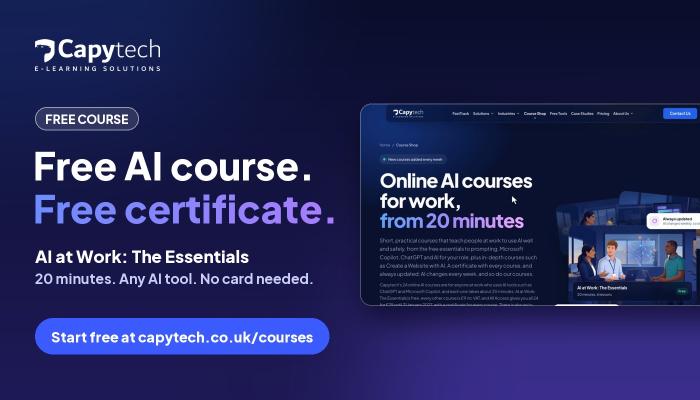
We built AI at Work: The Essentials to teach exactly these habits. It is a free online course of six short lessons, each following a colleague at a fictional UK company through a real work situation. It takes about 20 minutes, works on a phone, tablet or computer, and ends with an 8 question quiz. Pass it and you download a certificate of completion with a verification code anyone can check.
There is no card and no payment page. The course is tool neutral, so it works whether your team uses ChatGPT, Microsoft Copilot, Claude, Gemini or the AI built into other software. And because AI changes every week, the course is checked every week and updated when the tools, the law or the guidance change.
Get the whole team on the same page
If you manage a team, or run a small business with no AI policy yet, the free course makes an easy baseline. Everyone takes it with their own free account and everyone starts from the same rules.
For people who want to go further, there are 24 short AI courses for work, from Prompting That Works, Writing with AI and AI Safety and Data Protection to courses for ChatGPT, Microsoft Copilot, Claude and Gemini. Each takes about 20 minutes and comes with its own certificate. They are £9 each, or £29 for all 24 with All Access until 31 January 2027.
Start AI at Work: The Essentials free. It takes about 20 minutes, and your certificate is waiting at the end.
About Capytech UK
Capytech UK is a Cambridge digital learning company and part of Capytech, which has built corporate training technology for 13 years. Alongside its AI courses for work, it builds custom e-learning from organisations' own policies and procedures and runs it on the Capytech LMS and TMS.